Support Access and the Organization log
Give TeamSync Technical Support read-only access for a set time, end it early, and see who changed what in your Organization.
#What Support Access is
Technical Support can see your Organization’s details, such as its name, seats and General Managers, but they cannot read your Projects or Issues unless you allow it. Support Access lets them read your Projects and Issues for a limited time, for example when they need to look at a problem.
- They can only read. They cannot create, change or delete anything.
- It ends by itself when the time runs out.
- Every request they make is recorded in the Organization log.
Only a General Manager of the Organization can grant it.
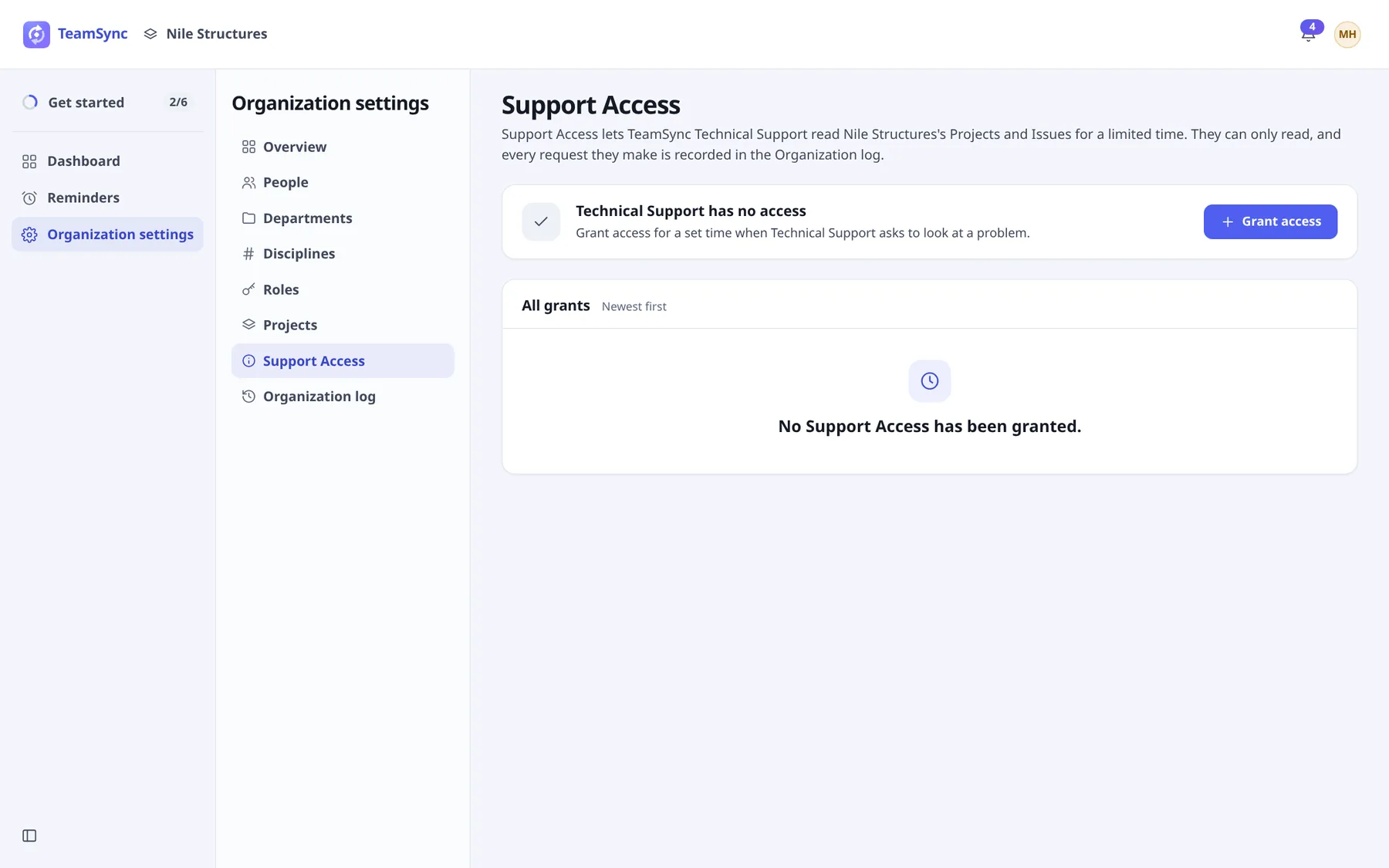
#Grant access
Open Support Access
Open Organization settings › Support Access.
Choose Grant access
The dialog is called Grant Support Access.
Choose For how long
The choices are 1 hour, 8 hours, 1 day, 3 days and 7 days. Or type any whole number of hours in Hours, up to 168 (7 days).
Choose Grant Support Access
The page then reads Technical Support can read this Organization with Their access ends and the time.
#End access early
Choose Revoke access now, or Revoke on a grant in All grants, then Yes, revoke. Technical Support loses access at once. The list keeps every grant, newest first, marked Live, Revoked or Ended.
#The Organization log
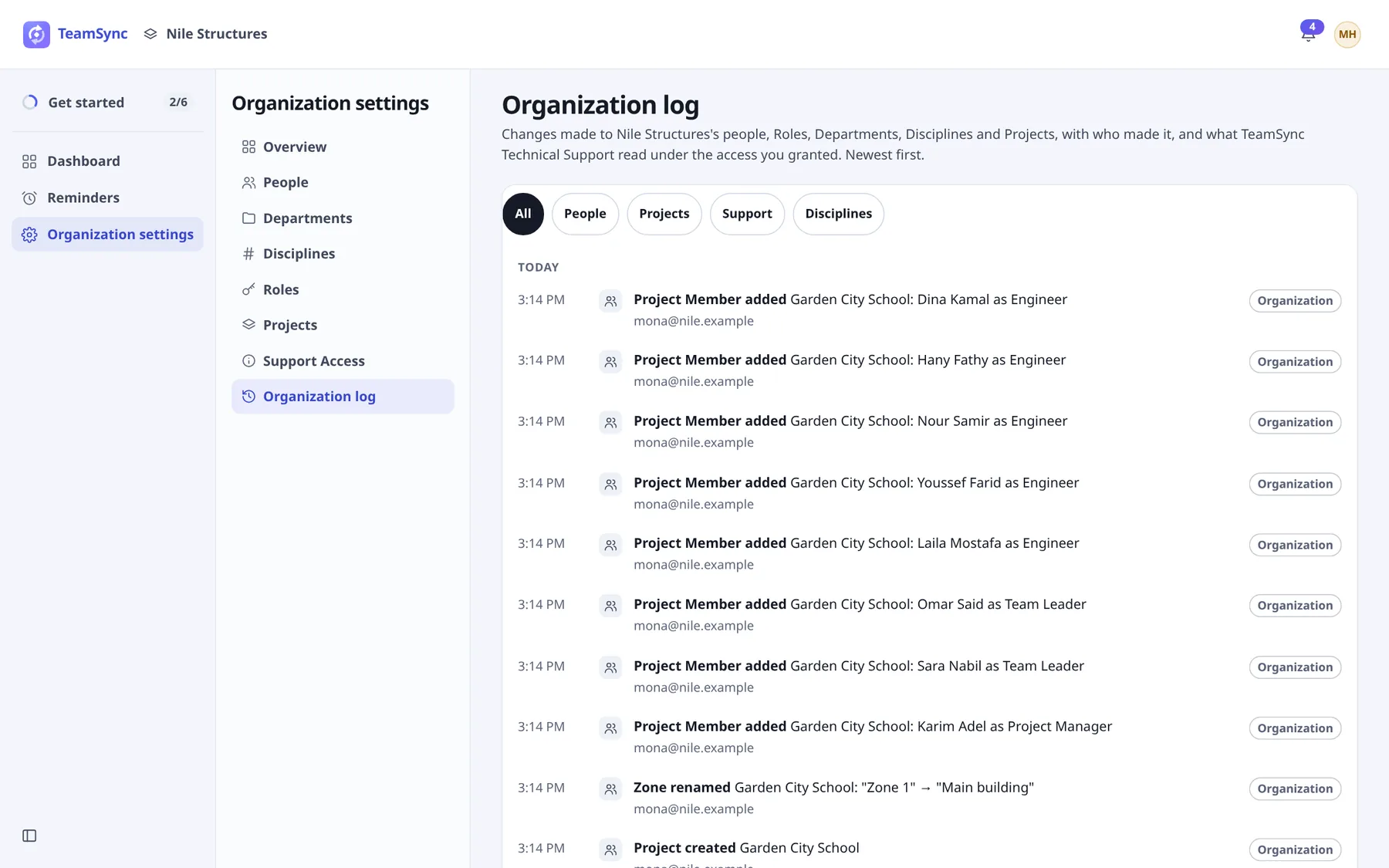
Open Organization settings › Organization log. It lists the changes made to your people, Roles, Departments, Disciplines and Projects, with who made them, and what Technical Support read under the access you granted. Newest first, grouped by day.
#What is recorded
- People: invitations sent or cancelled, Department changes, General Managers made or removed, people removed.
- Roles, Departments and Disciplines: added, renamed, changed or removed.
- Projects: created, renamed, opened or closed, archived or unarchived, deleted, restored or deleted permanently, and changes to Zones, Phases, Labels and Project Members.
- Support Access: granted and revoked, and what Technical Support read, such as reading a Project or an Issue.
Each entry shows the time, what happened, and who did it. Changes made automatically show TeamSync (automatic).
#Filters
Use the chips under Show entries about to narrow the log: All, People, Projects, Support or Disciplines.
Can’t find what you need? Write to info@top-matrix.com and we’ll help.