Welcome to TeamSync
TeamSync is issue coordination for BIM work. You raise Issues in Revit and Navisworks, and your whole team follows them in the web app.
#What TeamSync is
TeamSync keeps the problems found in a model in one place. Someone spots a clash or a missing opening, raises an Issue from inside Revit or Navisworks, and the Issue carries a viewpoint: the exact camera, section box, hidden elements and a picture. Everyone on the Project can then open the Issue, comment, change its status and jump back to the same view in the model.
Issues are raised in the add-ins, never on the web. The web app is where you follow, discuss and manage them, and where a General Manager runs the Organization.
#How the pieces fit
| Piece | What it does |
|---|---|
| Revit and Navisworks add-ins | Raise Issues with a viewpoint, markup and files. Show an Issue back in the model. Also list, filter, comment and change status. |
| The server | Keeps every Issue, comment, file and viewpoint for your Organization, and tells people about changes. |
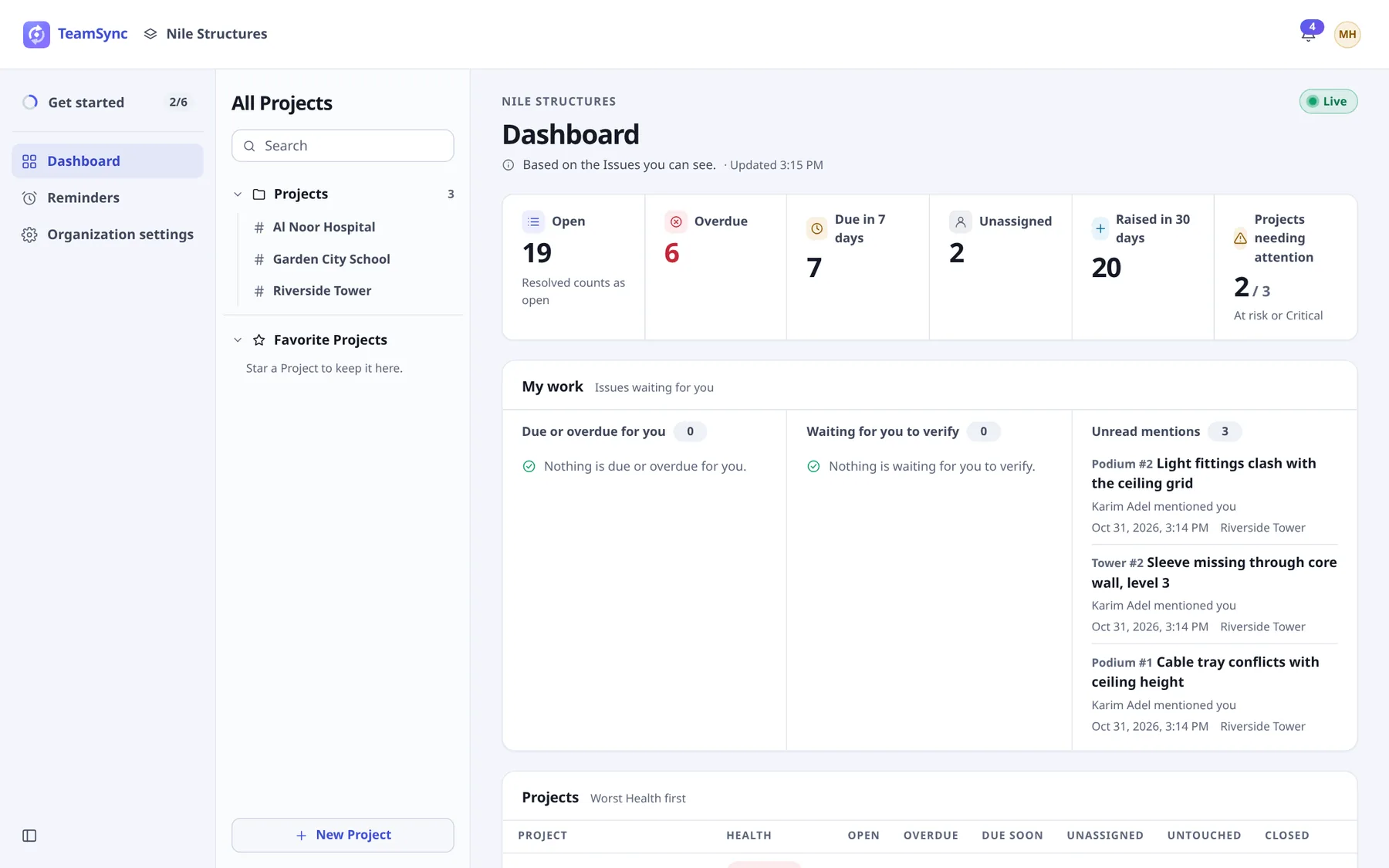
| The web app | Dashboard, Project views (list, cards, board, calendar), the Issue drawer, notifications and reminders. General Managers also manage people, Roles and Projects here. |
All three show the same Issue at the same time. A comment typed in Revit appears in the web app within moments, and a status change on the web shows up in the add-in.
#Start here
- Quick startThe shortest path from a new Organization to a first Issue, in order.
- ConceptsOrganizations, Projects, Zones, Issues, Roles and how an Issue moves.
- Install the add-inInstall TeamSync for Revit and Navisworks on a Windows computer.
- Sign in to the web appAccept an invitation, sign in and reset a password.
- Get started (General Managers)The checklist that sets up a new Organization.
- The Issue listFind, filter and sort the Issues of a Project.
#Find your way by role
| If you are a | Start with | Then read |
|---|---|---|
| General Manager | Get started | People, Roles, Projects, License |
| Project Manager or Team Leader | Team and Project settings | Project overview, The Issue list, Working on an Issue |
| Engineer | Quick start | Raise an Issue in Revit, Comments and mentions, Notifications and reminders |
| IT administrator | Install the add-in | On-premise, Troubleshooting |
#Browse the docs
- Getting startedThis overview, the quick start and the core concepts.
- The web appSign in, the Dashboard, Projects, Issues, comments, notifications, Team and the phone layout.
- Revit and NavisworksInstall, sign in, raise Issues, viewpoints and markup, and work with Issues in the model.
- AdministrationGet started, people, Departments and Disciplines, Roles, Projects, License, Support Access and on-premise.
- HelpTroubleshooting by symptom, frequently asked questions and a glossary.
Can’t find what you need? Write to info@top-matrix.com and we’ll help.