License and usage
See what your License allows, how much you have used, when it ends and what happens if it does.
Open Organization settings › Overview. The License card and the Usage section show where you stand.
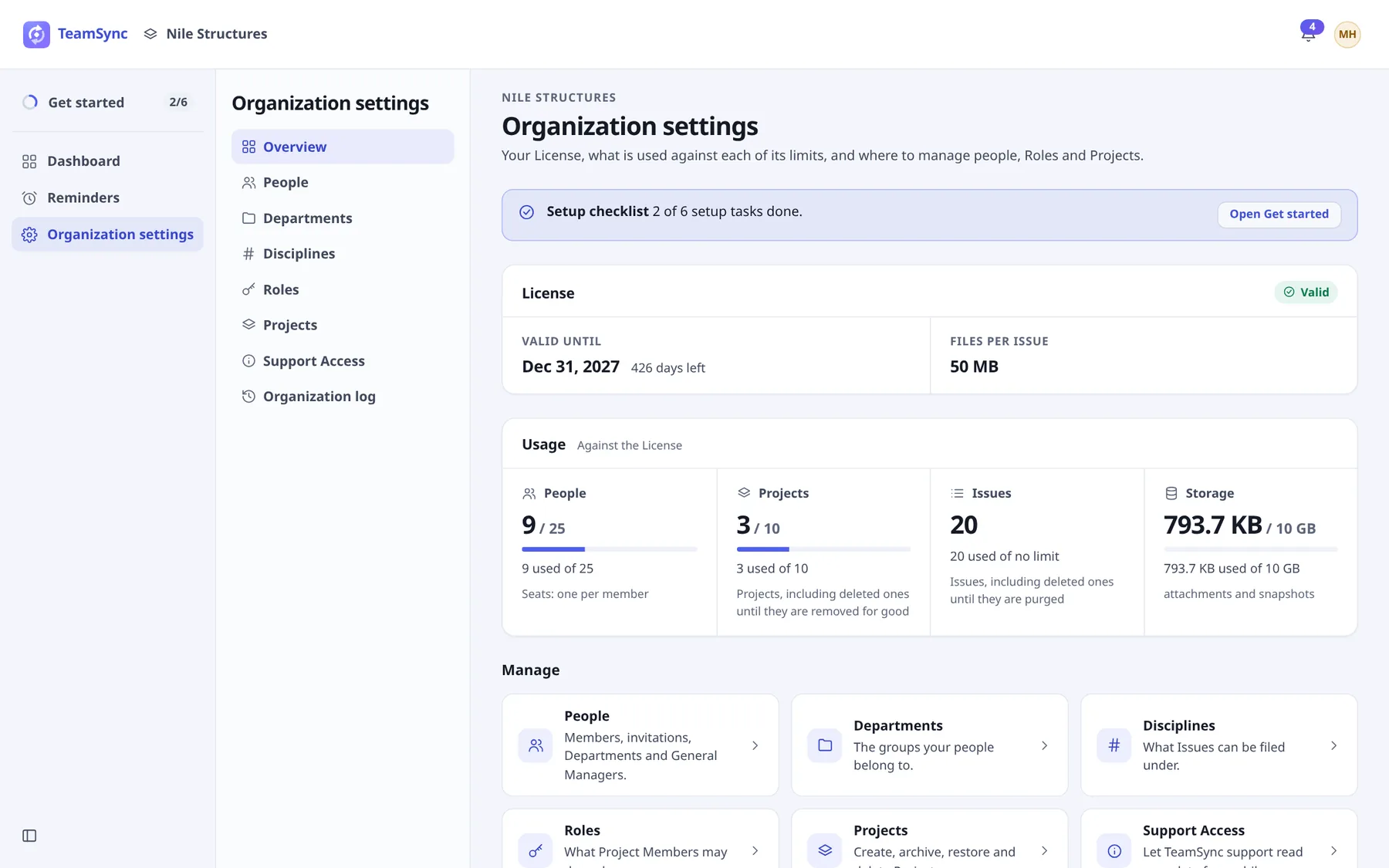
#The License card
| Item | What it is |
|---|---|
| Valid | The state of the License. It reads Ends in a number of days when it is close, and Ended once it has. |
| Valid until | The last day of the License, with the days left. |
| Files per Issue | How much file data one Issue may hold (for example 50 MB). |
#Usage
Usage shows what you have used against the License.
| Meter | What counts |
|---|---|
| People | Seats: one per member. Removing a member frees their seat at once. |
| Projects | Projects, including deleted ones until they are removed for good. This is the Project Limit. |
| Issues | Issues, including deleted ones until they are purged. Issues count toward no limit, so the meter reads no limit. |
| Storage | Attachments and snapshots, against your storage allowance. |
A meter turns to Nearly full as it approaches its limit. At the limit it reads Limit reached: nothing new can be added until usage drops or the License is raised. For people, that means you cannot send or accept invitations. For Projects, you cannot create, restore or unarchive one.
#When the License ends
On the day after the end date the License shows Ended and the Organization becomes read-only. Everyone can still sign in and read Projects and Issues, but nothing can be created, changed or deleted until the License is renewed. Nothing is lost.
Note
The last valid day is the end date shown. A License that ends on 31 December still works on 31 December.
#Change your License
Seats, the Project Limit, storage and the end date are set by Top Matrix. To raise a limit or renew, write to info@top-matrix.com with your Organization’s name. On-premise installs are licensed differently. See On-premise.
Can’t find what you need? Write to info@top-matrix.com and we’ll help.